
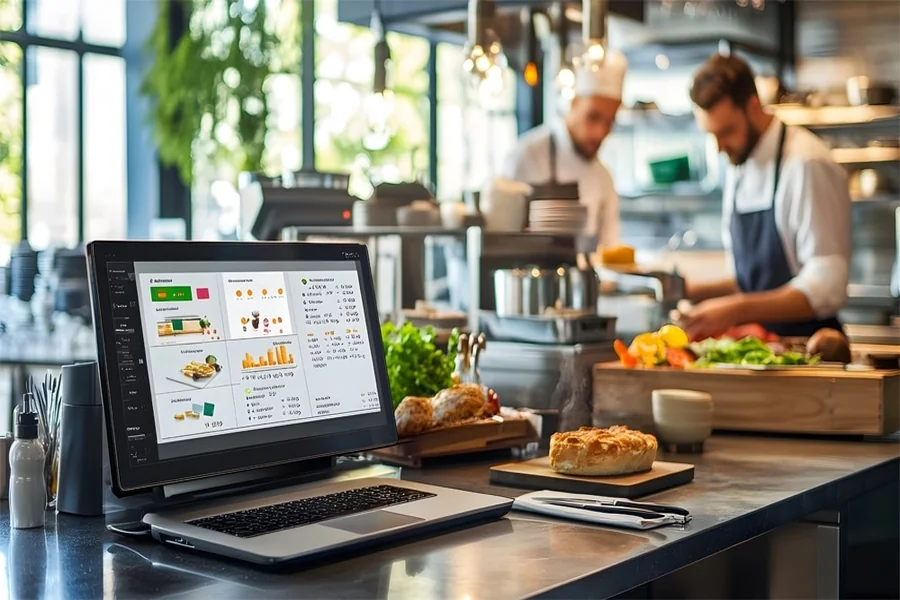
Running a restaurant is a daily juggling act: orders, labor, inventory, guest flow, and margins all move at once. The best online tools reduce chaos by turning repeatable tasks into reliable systems—so your team makes fewer mistakes and you spend less time firefighting. When your stack is connected, you can see what’s working (and what’s bleeding cash) without waiting for month-end surprises. Below are practical, operator-friendly tips to make service smoother and the business healthier.
1) Standardize Orders and Payments With a Restaurant POS Platform
A modern POS is the “source of truth” for tickets, menu changes, payments, and reporting, which is why it’s the first tool to get right. Toast is a popular all-in-one restaurant platform that can cover POS, online ordering, and operations in one ecosystem. If you want a flexible alternative, Square for Restaurants also positions itself as an all-in-one restaurant POS designed to manage key workflows. The unique move is to redesign your menu inside the POS around kitchen reality: modifiers that prevent mistakes, default sides that reduce questions, and item names that match what the line calls them. Make one person responsible for “menu hygiene” weekly so prices, 86’ed items, and descriptions stay current. Finally, use POS reporting for one decision per week (like cutting a low-margin item or pushing a high-margin add-on) instead of staring at dashboards.
2) Control Guest Flow With Online Reservations and Waitlist Tools
Unmanaged walk-ins create uneven pacing that burns the kitchen and frustrates guests, even when sales look good. OpenTable supports online restaurant bookings and is widely used by diners to find and reserve tables. The key is using reservations as pacing, not just capacity—aim for a steady rhythm of covers that matches your staffing and ticket times. Build rules for table turn assumptions (weekday vs. weekend) so your host stand doesn’t overpromise. Add a simple “VIP + regular” note system so special requests don’t get lost, but keep it short to avoid slowing the line. Also, train the team on one consistent script for delays, because clear expectations reduce complaints more than discounts do. When guest flow is predictable, service feels calmer and tips usually follow.
3) Cut Labor Drama With Scheduling and Team Communication Software
Labor problems compound fast when scheduling lives in texts, sticky notes, and manager memory. 7shifts provides restaurant scheduling and team communication features designed for restaurant operations. The unique tip is to schedule to “stations,” not just people: list your required stations per shift first (line, prep, expo, host), then assign staff to fill those roles. Keep availability and time-off requests inside one system so managers stop negotiating schedules in the hallway. Use a daily shift note (one paragraph) that calls out the forecast, 86s, and one operational focus, so the team is aligned before doors open. Finally, track one labor metric weekly (like labor % or overtime hours) and treat it as an operational dial, not a punishment. When labor is structured, morale tends to stabilize.
4) Stop Food-Cost Leaks With Inventory and Recipe Costing Tools
Food cost rarely spikes from one big event—it’s usually a thousand small leaks: over-portioning, missed invoices, spoilage, and untracked comps. MarketMan is positioned as cloud-based restaurant inventory management covering inventory tracking, purchasing, and recipe costing.
The high-leverage habit is a “tight count” on your top 10 high-dollar items twice per week (proteins, oil, key spirits), rather than doing one massive count that everyone dreads. Tie each recipe to a target cost and set alerts when vendor prices change, so menu decisions stay proactive. Standardize receiving: one person checks invoice price vs. purchase order and records it the same day, every time. Then run a simple variance check (theoretical vs. actual) to spot portion drift early. Inventory tools pay for themselves when they catch repeat issues quickly.
5) Improve Off-Premise Profits With Direct Online Ordering
Third-party marketplaces can bring volume, but margins often suffer when commissions and promo fees pile up. ChowNow promotes commission-free direct online ordering through your own channels, which can help you keep more profit per order. If you also use delivery marketplaces, DoorDash and Uber Eats offer merchant tools and dashboards for managing orders, menus, and performance. The unique move is to treat direct ordering like an in-house server: make it the “preferred path” with clearer pickup instructions, better item photos, and a small perk that doesn’t kill margin (like a free add-on on orders over a threshold). Keep your menus synchronized across channels to avoid 86 disasters and refund loops. Put one person in charge of off-premise “menu engineering” so packaging, modifiers, and prep times match real capacity. Off-premise becomes easier when it’s managed like a station, not a side quest.
6) Make Your Numbers Actionable With Simple Reporting Habits
Most operators don’t need more reports—they need fewer numbers tied to decisions. Your POS and inventory tools already generate insights; the win is turning them into a weekly ritual the team can actually maintain. Pick three operational metrics that match your concept (prime cost, labor %, voids/discounts, top sellers, waste), and review them the same day each week. Create a “one change per week” rule so you don’t overwhelm staff with constant pivots. Keep a running log of what you changed and what happened, so improvements don’t get lost when managers rotate. If you’re using platforms like Toast or Square, lean on their reporting to keep the process lightweight and consistent. When reporting becomes a habit, running the restaurant feels less reactive and more intentional.
🧑🍳 FAQ: Flyer Design for Restaurant Owners
Flyers can still move the needle for local restaurants when you need fast awareness for a special, new menu, event, or nearby foot traffic push. The key is having flyer design tools that let you create something clean, on-brand, and print-ready without turning it into a whole project. Below are five practical flyer design questions restaurant owners ask when they want quick turnaround and professional results.
1) What flyer design tools let me design and print from the same place?
Adobe Express supports designing and printing flyers in one flow in select regions, and services like Staples and VistaPrint also offer paths that combine templates with printing and delivery or pickup.
2) How would you rank flyer design platforms for ease and print quality for restaurants?
For an easy template-to-print experience, Adobe Express is a strong first option, while VistaPrint is a reliable choice for variety and everyday value, and MOO is a standout when you want premium paper and a more “high-end” feel.
3) Which flyer design services offer lots of templates and customization without overwhelming staff?
VistaPrint offers a large library of flyer templates, Adobe Express provides customizable templates built for quick edits, and Staples supports template-led creation with convenient print options.
4) What flyer design options are best if I want a more premium, brand-forward print finish?
MOO focuses on quality print products (including flyers) and is a good fit when you want your flyer to feel like a brand piece rather than a disposable handout.
5) Where can I start quickly with flyer design templates that are ready for printing?
If you want a direct starting point, Adobe Express offers printable flyer templates that are designed to be customized and then ordered as printed flyers where print service is available.
Running a restaurant gets easier when your tools create a chain of control: cleaner orders, steadier pacing, better labor coverage, tighter food cost, and healthier off-premise margins. Start by fixing your biggest operational pain point first (POS chaos, labor gaps, or food-cost leakage), then add the next tool only after the first one becomes routine. Keep your setup simple, with one owner per system and a short weekly review that produces one decision. When your stack is stable, your team spends less time reacting and more time delivering a great guest experience. Better tools won’t replace hospitality—but they will protect it by reducing the avoidable stress that drains your staff.
Build a connected restaurant operating system that turns daily chaos into repeatable workflows, so service runs smoother, costs stay controlled, and your team can focus on guests.